How QR ordering works in a small cafe with a tiny team, the setup decisions that matter, the features worth checking and the mistakes to avoid.
In this article
- 01Why small cafes feel the ordering problem most
- 02How the flow works in a cafe
- 03Decide: table service or counter pickup?
- 04What to look for in a system
- 05Menu design matters more than you think
- 06Payments and billing
- 07Practical setup details
- 08Keep the human touch
- 09Where NexEats fits
- 10A simple rollout plan
Why small cafes feel the ordering problem most
A large restaurant can put more waiters on the floor during a rush. A cafe with two people behind the counter cannot. When ten customers arrive at once, someone is making coffee, someone is taking orders and billing, and the queue grows while tables sit half empty. Orders get shouted across the counter, a cappuccino becomes a latte, and the regular who wanted a quick breakfast leaves.
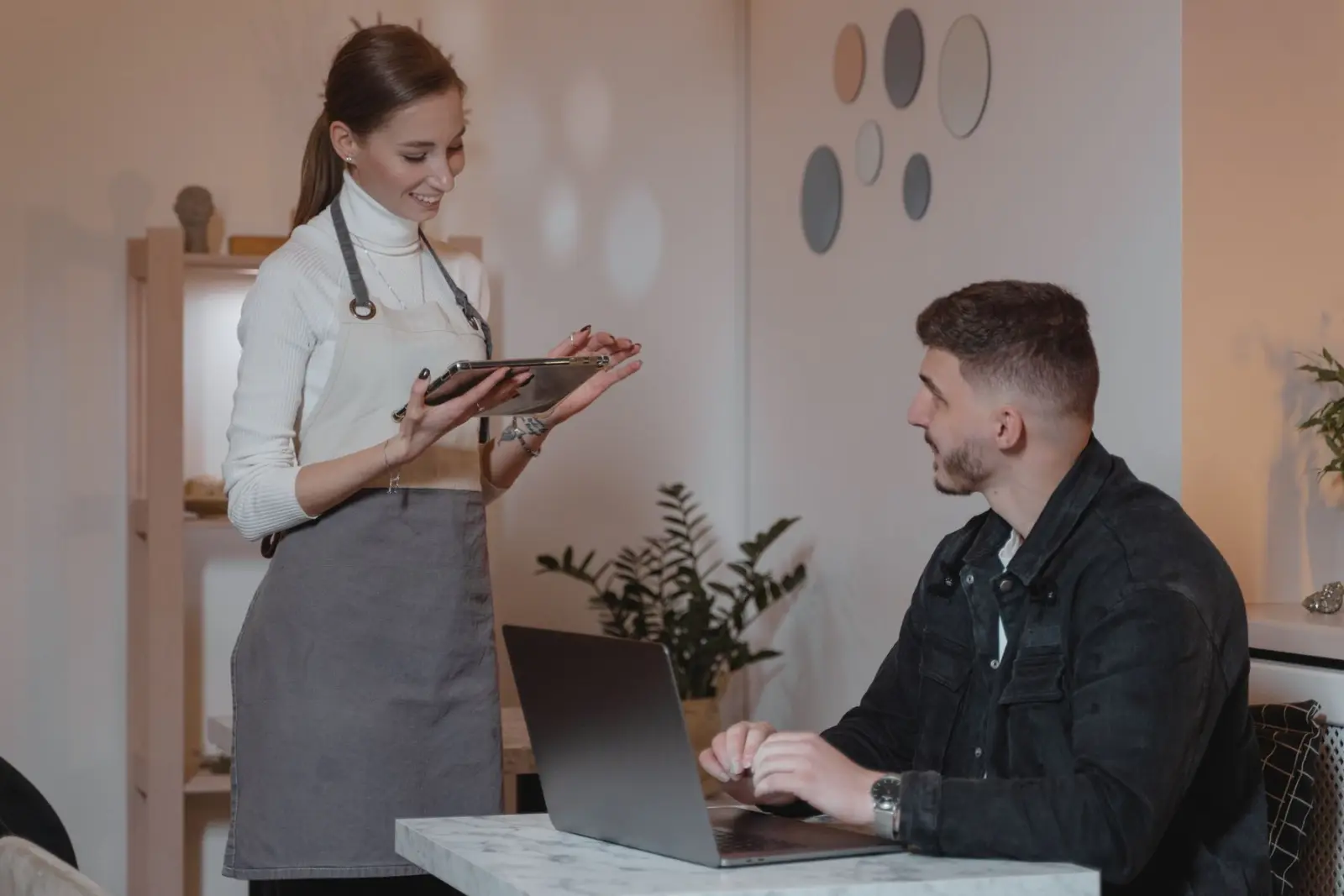
QR code ordering moves the order-taking step to the customer's phone. Customers scan a code at the table or counter, browse the menu, order and often pay, and the order reaches the kitchen or coffee station directly. For a small team, that frees the one or two people who were taking orders to make and serve food instead. Our broader guide to the QR code ordering system for restaurants covers the general concept; this one focuses on cafes and small outlets.
How the flow works in a cafe
The basic flow is short, and every step should take seconds:
- The customer scans a QR code with the phone camera; the menu opens in the browser with no app download
- They pick items, choose variants such as milk type or size, and add notes
- They pay by UPI, card or wallet, or choose to pay at the counter
- The order appears on a kitchen screen or prints as a kitchen order ticket (KOT) at the right station
- Staff prepare the order and either serve it to the table or call the customer to collect it
Decide: table service or counter pickup?
Cafes run in two main styles, and QR ordering supports both. In table service, each table has its own code, so the order arrives tagged with the table number and staff bring food to it. In counter pickup, one code at the entrance or on each table opens the same menu, and customers collect their order when it is ready, which suits takeaway-heavy cafes and food court counters.
Many cafes mix the two: table codes for people who sit down and a counter code for takeaway. Decide this before printing anything, because it changes how orders are labeled and how customers know their food is ready.
What to look for in a system
Most QR menu products look similar in a demo. The differences show up on a busy Saturday. Check these points:
- No app or sign-up for customers: scanning should open the menu immediately
- Fast menu editing from a phone, including marking items sold out in seconds
- Variants and add-ons, such as sizes, milk options and extra shots, without awkward workarounds
- UPI payments at the table plus a pay-at-counter option for those who prefer it
- Kitchen display or KOT printing split by station, such as coffee bar and kitchen
- Clear order-ready signals for pickup customers
- Menus in English and the regional language your customers read
- Reports on best sellers and peak hours, not just a list of orders
Menu design matters more than you think
A QR menu is read on a small screen, often in a hurry. Keep categories short and ordered the way people decide: drinks first in a coffee shop, mains first in a lunch spot. Use real photos for your best sellers, mark veg and non-veg clearly, and write descriptions that answer the questions customers otherwise ask staff, such as spice level or whether a drink is sweetened.
Because the menu is digital, you can change it whenever you like. Remove items that run out, add a seasonal special for a week, or show a breakfast menu only in the morning. Printed menus never allowed that, and it is one of the quiet benefits of moving online.
Payments and billing
UPI is the payment most customers expect, and paying from the table removes the queue at the billing counter. Still, keep a pay-at-counter option: some customers prefer cash, and some groups want one person to settle the whole bill. Check that payments settle to your bank account through a known payment gateway and that each payment is matched to the right order automatically.
If you already use a point of sale (POS) or billing system, ask whether the QR ordering system integrates with it or runs alongside it, so you do not have to enter every order twice.
Practical setup details
A few physical details decide whether customers actually use the QR codes:
- Use sturdy stands or laminated stickers with a short instruction such as "Scan to order and pay"
- Place codes where they are visible from every seat, not hidden under cups
- Check mobile signal inside the cafe; offer guest Wi-Fi if coverage is weak
- Inspect codes regularly and use branded stands, since a stuck-on fake QR code is a known payment scam
- Train staff to help the first few customers each day and to take orders the old way for anyone who asks
Keep the human touch
QR ordering should remove waiting, not conversation. Regulars still want to be greeted, and some customers, often older ones, prefer ordering from a person. Make it clear that staff are happy to take orders, and use the time saved to check on tables, recommend specials and keep the place clean. A cafe that feels automated but unfriendly loses the reason people visit it.
Where NexEats fits
NexEats is Nexzem's QR ordering product for restaurants and cafes. Customers scan a table or counter code, order from a live digital menu with photos, variants and add-ons, and pay by UPI, card or wallet or at the counter. Orders go to a kitchen display or KOT printer split by station, and staff get call-waiter and bill requests on their devices.
For cafes, the takeaway and counter pickup support, multilingual menus and best-seller and peak-hour reports are the most relevant parts. NexEats can run alongside an existing POS and connects with systems such as Petpooja and Restroworks (formerly Posist). If you want a custom ordering setup instead, our restaurant ordering system page covers that route, and our restaurants and food industry page describes the wider software we build for the sector.
A simple rollout plan
Start with your full menu and a handful of tables for a week, watch where customers hesitate and fix the menu layout. Then roll out to every table, keep a printed menu at the counter as a fallback and review the sales reports after a month to see which items deserve better placement. Small changes to the menu often matter more than any feature list.
Written by
Nexzem Team
Nexzem Technologies
Engineers and consultants at Nexzem Technologies, a software company in Dehradun, India. We write about AI, apps, cloud and product strategy from the work we do.
LinkedIn